
AGGREGATE Analytics by Subschema
Count what happens on your websites, not who did it.
Get started with AGGREGATE
Download the latest release and run it on your own hosting. No account, no email gate, no telemetry. Free and open source under AGPL-3.0.
Get AGGREGATE
Download the latest release and run it on your own hosting. Free and open source.
Count events, not people
By default, each event keeps only a sanitized page path, a coarse referrer channel, device and screen-size buckets, and the UTC hour it happened in. No visitor or session ID, IP address, browser string or exact timestamp is stored.
Your BI tool is the dashboard
Power BI, Tableau, Looker or any SQL-capable tool connects to stable, versioned reporting views in your own database. There is no separate analytics product to learn, license or put through vendor review.
Ask an AI assistant, with guardrails
Give an assistant the same read-only account as your BI tool. It sees documented views and a built-in data dictionary: released counts, never raw rows, identifiers or numbers below your disclosure threshold.
Yours to run
Self-hosted from a release ZIP on ordinary PHP hosting, with MySQL, MariaDB, PostgreSQL, SQL Server or SQLite. Open source: AGPL-3.0 for the server, BSD-3-Clause for the tracker.
Download AGGREGATE Beta v2026.10.12 (ZIP, about 14 MB)
Free and open source. No account, no email gate, no telemetry.
Release notes and earlier versions · View on GitHub
What is included
- Privacy-minimized collection. Page views and named events with sanitized
paths, coarse dimensions and hour buckets. Emails, UUIDs and numeric record
IDs are stripped from paths before storage. - Suppression in the view, not the dashboard. The reporting views withhold
the current period and hide any cell below your configured minimum. The
threshold lives in the database, so every report, extract and query gets the
same protection. - Reporting views for BI. Versioned views for events, daily rollups, goals
and geography, plus a coverage view that says how complete each view is.
Names and column meanings stay stable across releases. - Reporting database and BigQuery sync. Copy the approved views into a
second database, or into a BigQuery dataset on a schedule, so BI users never
touch the application database. - Reporting API. Read the reporting views over HTTPS with a token, for
scripts, notebooks and AI tools that cannot open a database connection. Off
by default; private views need their own switch. - Tag Manager Lite. Serve the tags each site needs from your own
AGGREGATE host, configured per website in the dashboard or in YAML. - Consent Manager Lite. A consent banner whose choices actually change what
the server records, with regional rules and Google Consent Mode signals. - Consent-based enhanced mode. Visitor and session IDs, custom properties
and exact dimensions, only after an affirmative consent choice, and stopping
the moment consent is withdrawn. - Server-side collection. Send page views and goals from your backend in
PHP, Java, .NET, Node.js, Python, Ruby or Go, with no script on the page. - Users, permissions and an audit trail. Permission groups and profiles for
the admin UI, and a record of administrator actions when a privacy office
asks who changed what. - Rebrandable without a fork. Name, logo, colors and fonts are
configuration. We run it white-labeled for client work; so can you.
Inside the admin
A data dictionary your tools can read
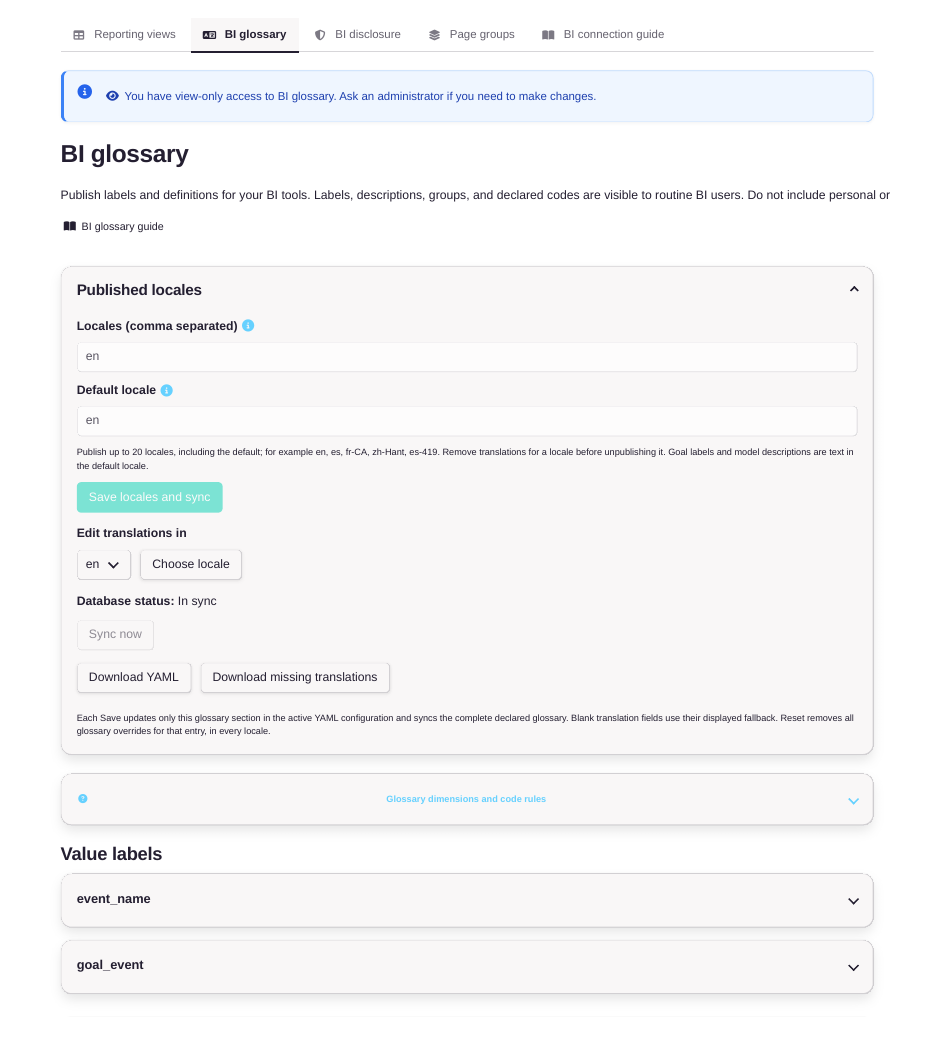
Definitions should not live in one person's head. The BI glossary publishes the labels and definitions behind every reporting view, in sync with the database, so Power BI, Tableau, Looker, and an AI assistant all describe the same number the same way.
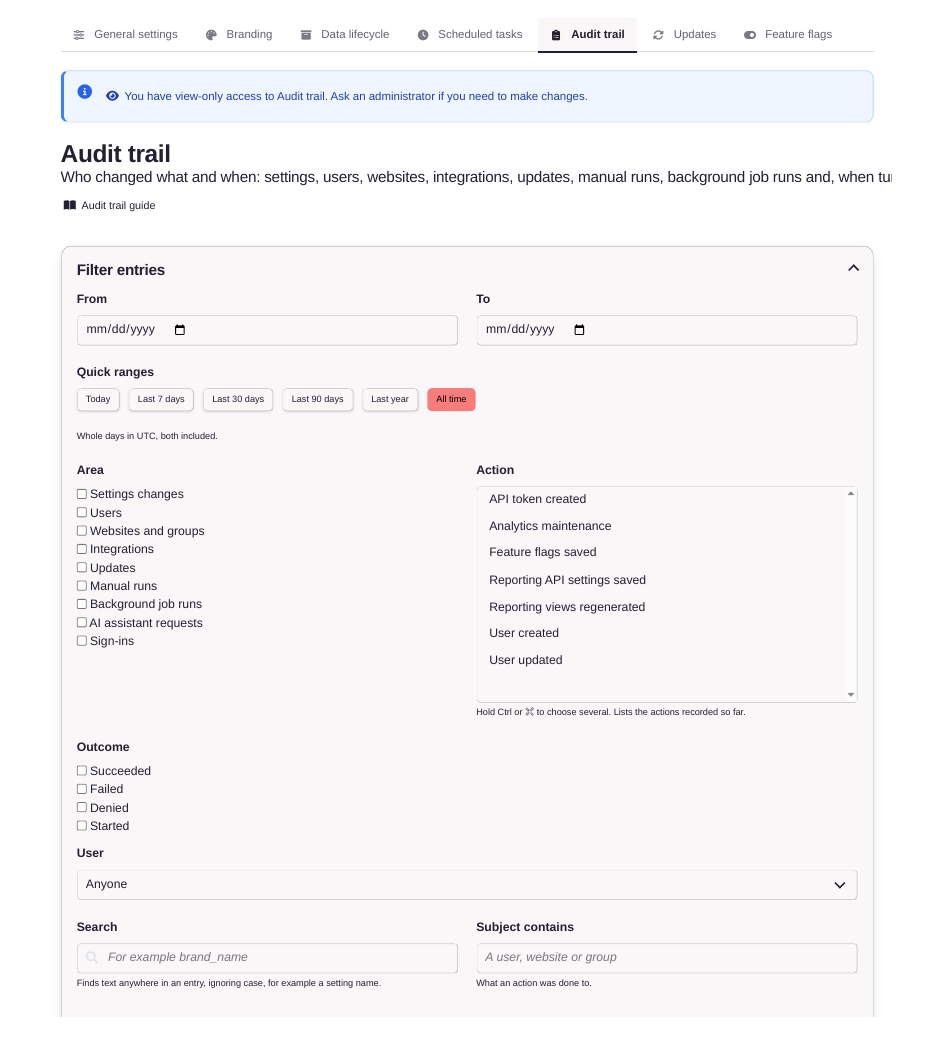
Who changed what, and when
Every administrative change is recorded with who made it and when: settings, users, integrations, tokens, updates. Denied attempts are recorded too, entries never hold passwords or submitted values, and the filtered record exports to CSV when auditors ask.
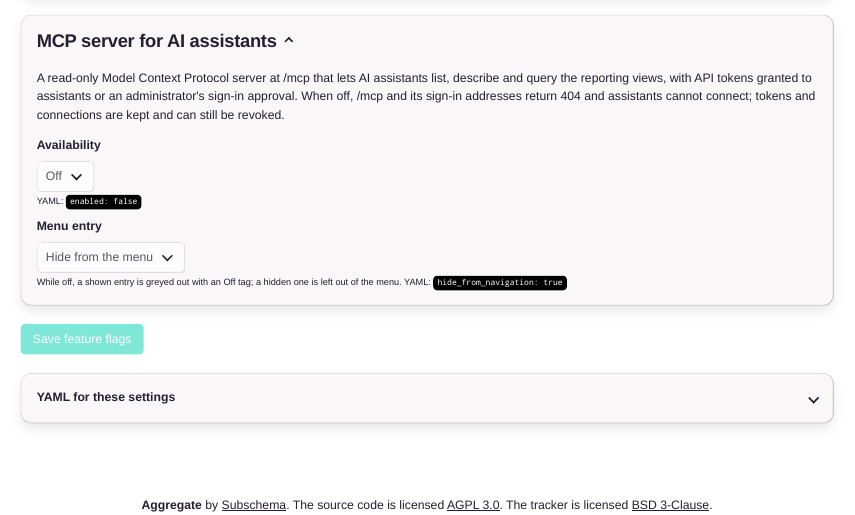
Ready for AI assistants
An MCP server at /mcp lets AI assistants list, describe, and query the reporting views with a granted token. It is off by default, every tool call lands in the audit trail, and turning it off returns 404 while tokens and connections stay revocable.
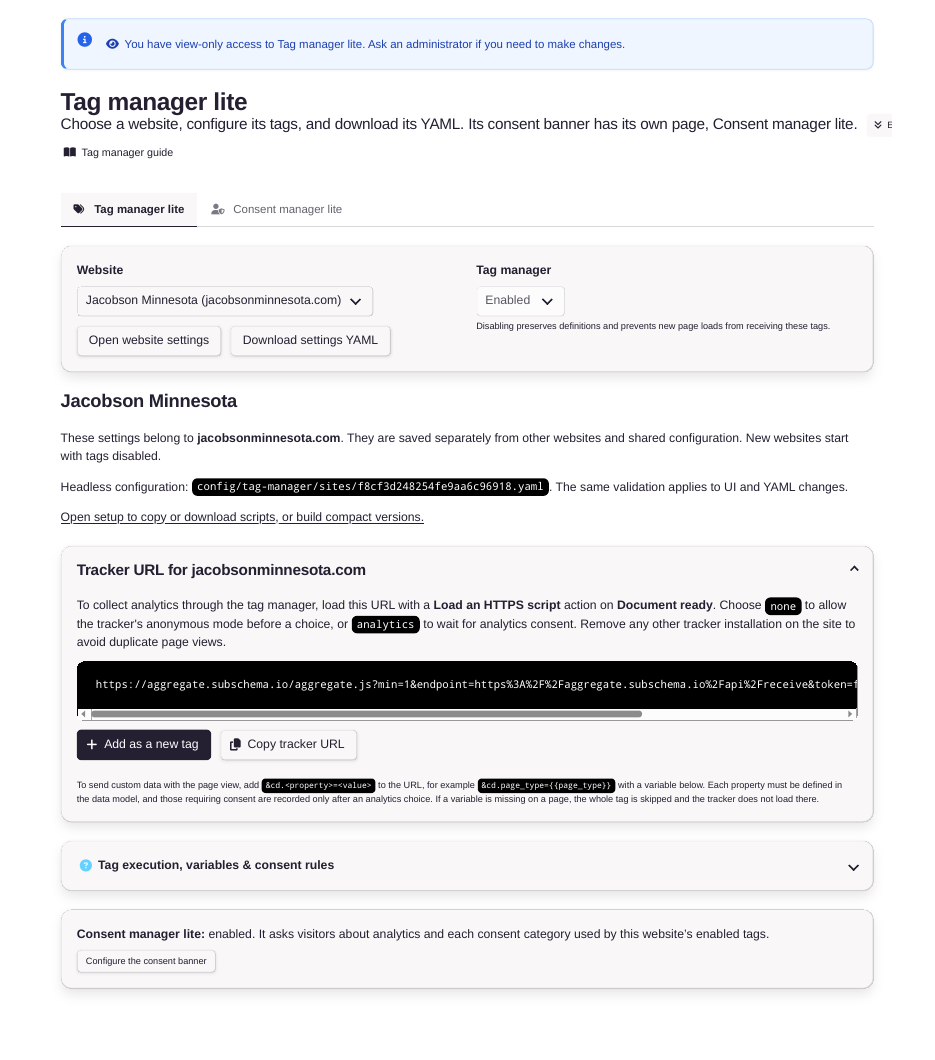
Collection without tag sprawl
Tag Manager Lite and Consent Manager Lite are configured per website, in the dashboard or as YAML. One tracker, consent asked before analytics loads, and settings you can download and review like code.
Get running in five steps
No terminal is required for the release ZIP path:
- Prepare the site. Create the site in your hosting panel, choose PHP 8.2
or newer, and create an empty database (SQLite needs no database server). - Upload the release. Download the ZIP, upload and extract it with the
file manager, and set the document root to the extractedpublicfolder. - Open the site. The setup page checks the server, asks for the one-time
code inSETUP-CODE.txt, tests your database connection and writes the
configuration. Then create the administrator account. - Add one scheduled task that runs
bin/console app:scheduler:runevery
five minutes, for maintenance and the optional syncs. - Add the tracker to a website, or use Tag Manager Lite, the Grav plugin
or the Google Tag Manager template below.
Works with the tools you already use
- AGGREGATE for Grav. Our plugin for the Grav CMS, listed in the official
Grav Plugin Manager. Installs the tracker, Tag Manager Lite and the consent
banner from the Grav admin.
Get the plugin - AGGREGATE for Google Tag Manager. A community template for the web
container, so existing GTM setups can send events to AGGREGATE.
Get the template - Your BI stack. Power BI, Tableau and Looker Studio read the reporting
views directly, through the reporting database, or through BigQuery sync.
Governance before tooling
Most web analytics begins by identifying the visitor, with a cookie, a device
fingerprint or a daily hash of an IP address. Unique visitors, sessions and
funnels are all built on that identity.
For organizations that answer to a privacy office, the identity is the hard
part. It has to be justified, disclosed and often consented to, and it is
usually more than the question requires. Leadership wants to know which pages
are read, which campaigns bring people in and whether sign-ups are rising.
None of that requires following a person.
AGGREGATE starts from the other end. It counts what happened, enforces privacy
rules on the server where the data arrives, and publishes the results into the
reporting tools your organization already governs.
How it works
- Collect. Add the lightweight tracker or your tag manager, or send events
from your own backend with no script on the page. The server removes query
strings, emails, UUIDs and numeric record IDs from page paths before
anything is stored. - Protect. Events are grouped into completed time periods. The reporting
views withhold the current period and hide any count below your minimum,
five by default. That threshold lives in the database, so every report,
extract and query receives the same protection. - Publish. Documented, versioned SQL views, plus glossary views that
label every code, give your BI tool or AI assistant what it needs to answer
questions correctly. View names and column meanings stay stable across
releases.
Two modes, one honest consent model
| Anonymous mode (default) | Enhanced mode | |
|---|---|---|
| Applies when | Consent is unknown or declined | The visitor makes an affirmative choice |
| What is stored | Sanitized path, referrer channel, device and viewport buckets, UTC hour. Optionally, allowlisted goals and country- or continent-level geography. | Everything in anonymous mode, plus visitor and session IDs, custom properties and exact dimensions |
| How it stops | Administrators can pause collection globally or exclude sensitive paths | Immediately, when the visitor withdraws consent |
Consent in AGGREGATE changes what the server records, not just what the banner
says. Connect it to your consent manager and the behavior matches what your
notice promises. Withdrawal is prospective: it stops future enhanced detail but
does not erase what was already stored, and coarse anonymous counting continues.
What you give up
Our own documentation puts this before the feature list, and it belongs here
too.
- No unique visitors, sessions or bounce rate in anonymous mode. Computing
them requires exactly the identifier AGGREGATE refuses to create. - Small numbers disappear. Counts below your threshold are withheld, and
widening the date range will not bring them back. Low-traffic sites will see
gaps. - No real-time view. Events are released after each UTC hour ends; goals
and geography after each UTC day. - No built-in charts or assistant. AGGREGATE makes the data safe to query.
The BI tool, the model and the connector are yours to choose and to govern. - "Anonymous" is the name of a mode, not a legal conclusion. Rare paths,
small populations and outside information can still make data personal in
context. Installing AGGREGATE does not by itself make a website compliant
with GDPR, CCPA or any other law.
Is it the right fit?
Likely yes if you answer to a privacy office or data protection officer;
run a public-sector, health, education or legal website; already own a BI stack
and want measurement to feed it rather than compete with it; want to ask an AI
assistant about your traffic without handing it visitor-level data; or want to
explain your entire analytics data model on one page.
Likely no if you need unique-visitor counts, funnels, session replay,
heatmaps or marketing attribution. Established tools such as Matomo and
Plausible will serve you better, and AGGREGATE is not trying to win that
comparison.
Where Subschema helps
AGGREGATE is open source and designed to be installed and operated by your own
team. When the measurement decision carries regulatory or reputational weight,
our advisory practice can help.
- Measurement governance. Decide what to collect, which goals and campaign
properties to allow without consent, and which disclosure thresholds suit
low-traffic or sensitive sites. - Reporting and AI access review. Define read-only grants, approved views
and assistant guardrails, so every consumer of the data receives the same
protection. - Implementation assurance. Verify the deployment, consent-manager wiring
and reporting contracts before live traffic, and document them for your
privacy office.
Status and next steps
AGGREGATE is in public beta. The current release is Beta v2026.10.12. Start
with a disposable installation and synthetic events, and review the known
limitations before using it with live traffic. No independent security or
privacy audit is claimed.
Download the latest release ZIP
- Install from a release ZIP, no terminal required
- Read the documentation
- Join the beta
- View the source on GitHub